Tracking your prayers
Log salah in one tap and follow streaks, focus, sunnah prayers, qaza recovery, and your daily score at qurangallery.com/prayer/tracking.
On this page
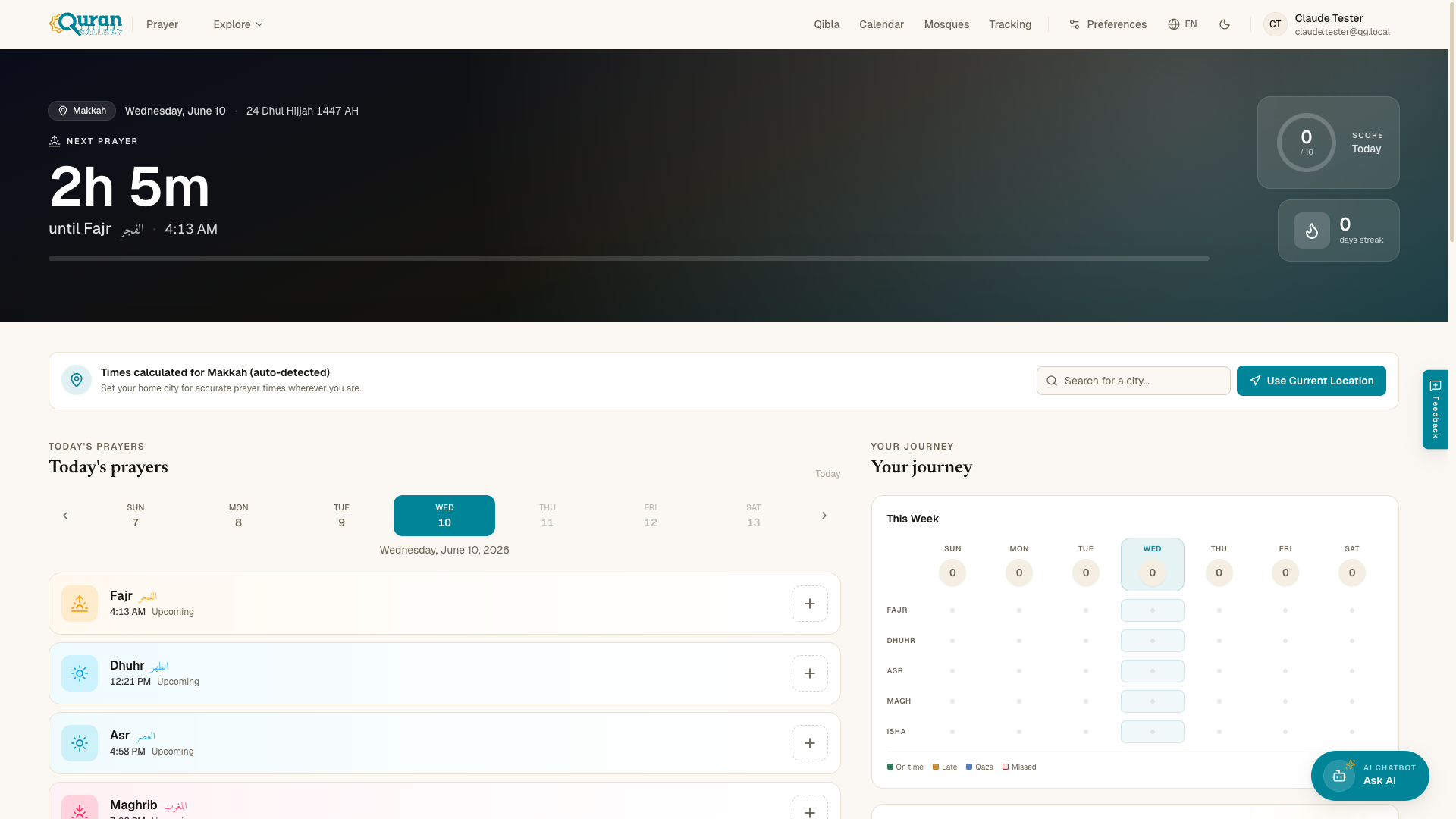
Prayer Tracking at qurangallery.com/prayer/tracking helps you build consistent habits with simple daily logging. It’s organised into tabs — Today, Journey, Qaza, and More — so you can log what you prayed, review your history, and make up missed prayers.
Sign in required. Tracking saves to your account. Without signing in you’ll see “Sign in to start tracking.”
Logging a prayer
From the Today tab, tap a prayer to log it in one tap. Each prayer takes a status:
| Status | Meaning |
|---|---|
| On Time | Prayed within the prayer’s window. |
| Late | Prayed, but after the window passed. |
| Missed | Not prayed. |
| Jama’at | Prayed in congregation. |
| Excused | Counted as exempt. |
When you log every prayer you’ll see “All five prayers logged for today — alhamdulillah.” You can add detail to any prayer:
- Focus (Khushu) — rate your concentration from Distracted to Focused.
- Notes — an optional note on the prayer.
Streaks, heatmap & score
The Journey tab tracks your consistency over time:
- Current Streak and Longest Streak, counted in days.
- A Monthly prayer heatmap with bands from Missed through All On-Time to Perfect.
- A daily Score for your ibadah, plus This Week and Monthly Overview summaries.
Sunnah prayers
Alongside the five fard prayers you can log Sunnah Prayers — the rakat Before and After each prayer, plus Witr. These appear under additional prayers so your whole routine is recorded, not just the obligatory salah.
Qaza recovery
The Qaza tab helps you make up missed fard prayers. If you have a backlog, set up Qaza tracking by entering your Total missed fard prayers (count each prayer individually — for example, 5 prayers/day × 100 days = 500). As you make them up, the page shows how many you’ve recovered, until you reach “All caught up!”
Pausing tracking
Under More, the Pause Tracking option (also called Prayer Exemption) temporarily stops prayer logging and notifications — for example during menstruation or postpartum recovery. While paused you’ll see “Tracking is paused.” Changes apply to this session only.