The apps in the suite
Every Quran Gallery app — what it does and where to find it — plus how a single account connects them.
On this page
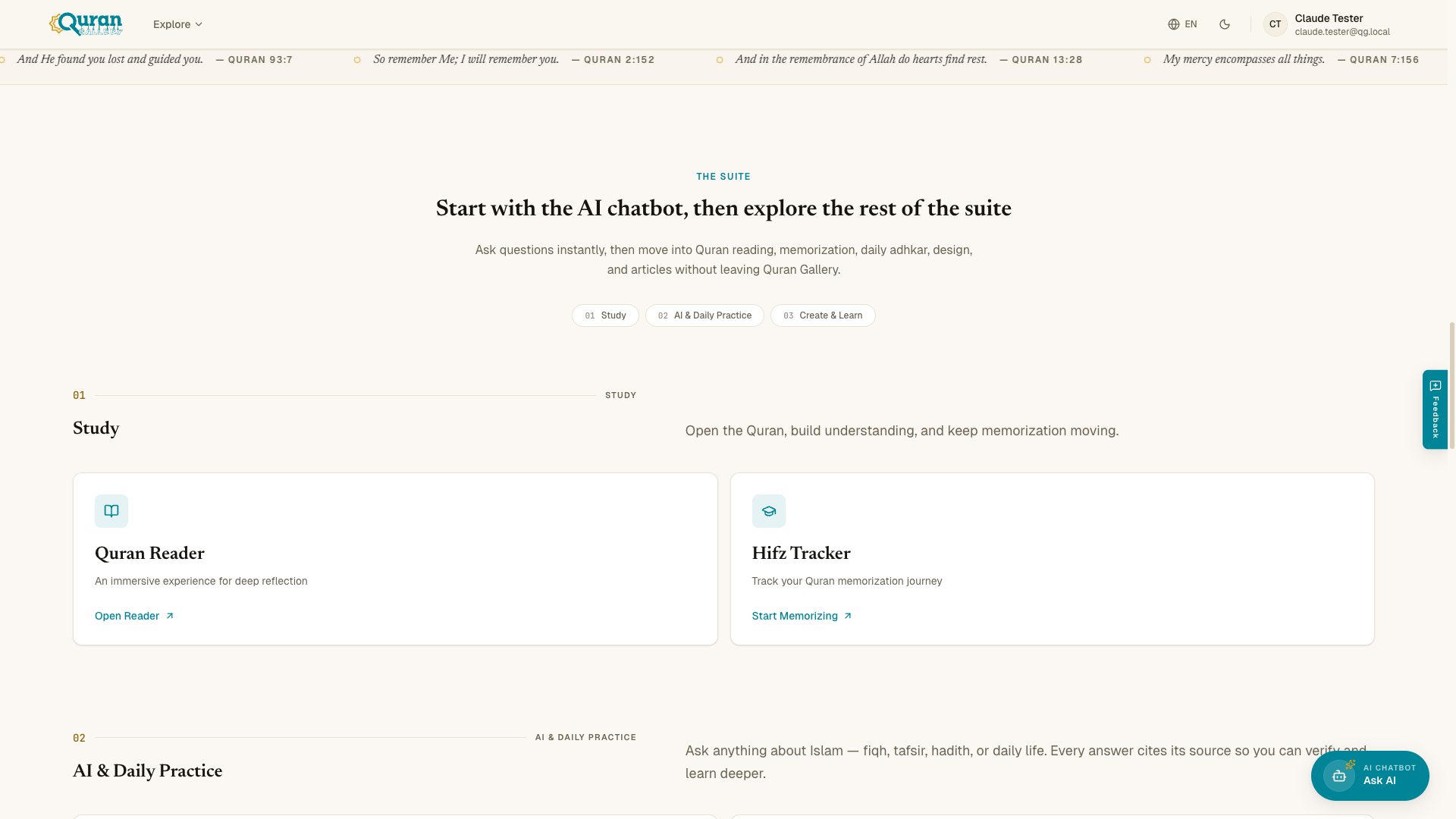
Quran Gallery is several focused apps that work together as one platform. Each
lives at its own address under qurangallery.com, and your account follows you
across all of them.
On the home page
The home page grid shows six apps across three groups. Prayer has its own dedicated section on the page (with an embedded prayer-times widget and calendar) rather than appearing as a card in the grid.
Study
Open the Quran and keep memorization moving.
| App | What it does | Address |
|---|---|---|
| Quran Reader | An immersive reader for deep reflection. | qurangallery.com/quran |
| Madrasah | Learn, memorise and teach — classes, teachers and lessons. | qurangallery.com/madrasah |
Practice
Ask anything about Islam and keep your daily worship on track.
| App | What it does | Address |
|---|---|---|
| AI Chatbot | Ask about the Quran, Hadith, and Islam — answers cite their source. | qurangallery.com/chat |
| Daily Adhkar | Morning and evening remembrances for the heart. | qurangallery.com/adhkar |
Create
Design, publish, and keep growing.
| App | What it does | Address |
|---|---|---|
| Design Studio | Create beautiful Islamic artwork to share. | qurangallery.com/studio |
| Knowledge Hub | Curated articles and educational content. | qurangallery.com/blog |
The full suite
These additional apps are part of the suite and reachable from their own addresses, even though they don’t appear as cards in the homepage grid:
| App | What it does | Address |
|---|---|---|
| Prayer | Prayer times, Qibla direction, Hijri calendar, and tracking. | qurangallery.com/prayer |
| Rijal | Explore the hadith narrators. | qurangallery.com/rijal |
| Listening Library | Curated recitations to listen to anywhere. | qurangallery.com/listen |
| Nazira | Short, daily Quran lessons. | qurangallery.com/nazira |
| Docs | The help center you’re reading now. | qurangallery.com/docs |
To read about the mission and values behind the suite, visit the About Us page.
How the apps connect
Behind every app is a single account, hosted at accounts.qurangallery.com.
- One sign-in for everything. Sign in once and you’re signed in across the whole suite — no separate logins per app.
- Shared preferences. Your theme (light or dark) and language are set once and follow you from app to app.
- Sign out everywhere. Signing out of one app signs you out of all of them, because sessions are shared across the suite.
You can browse and read most surfaces without an account. Signing in is what lets your bookmarks, notes, and progress travel with you.
To set up or manage your account, see the Accounts & SSO section.