Bookmarks and notes
Save verses with bookmarks and attach private notes — both synced to your account across devices.
On this page
Bookmarks and notes let you keep your place and capture your thoughts on individual verses. When you’re signed in, both sync to your account, so they’re there on every device you read on.
These features save to your account. Sign in or create one at
accounts.qurangallery.com— see Your Quran Gallery account. The reader will prompt you to Sign in to save bookmarks & collections when needed.
Bookmarks
A bookmark marks a single verse. While reading, save the verse in focus, then find all your saved verses again under Bookmarks.
- Save a verse from the reader’s verse actions.
- Open your saved list from Bookmarks in navigation or on My Quran.
Bookmarks sit alongside Collections, which group several verses around a theme — see Collections, plans & your journey.
Notes
A note is attached to a verse and is private to you — it never appears in anyone else’s account. Use Add note on a verse to write your reflection or reminder, and find your notes again under Notes or on My Quran.
If you’re signed out, the reader prompts: “Sign in to save notes — your notes are saved to your account so you can access them anywhere.”
My Qur’an
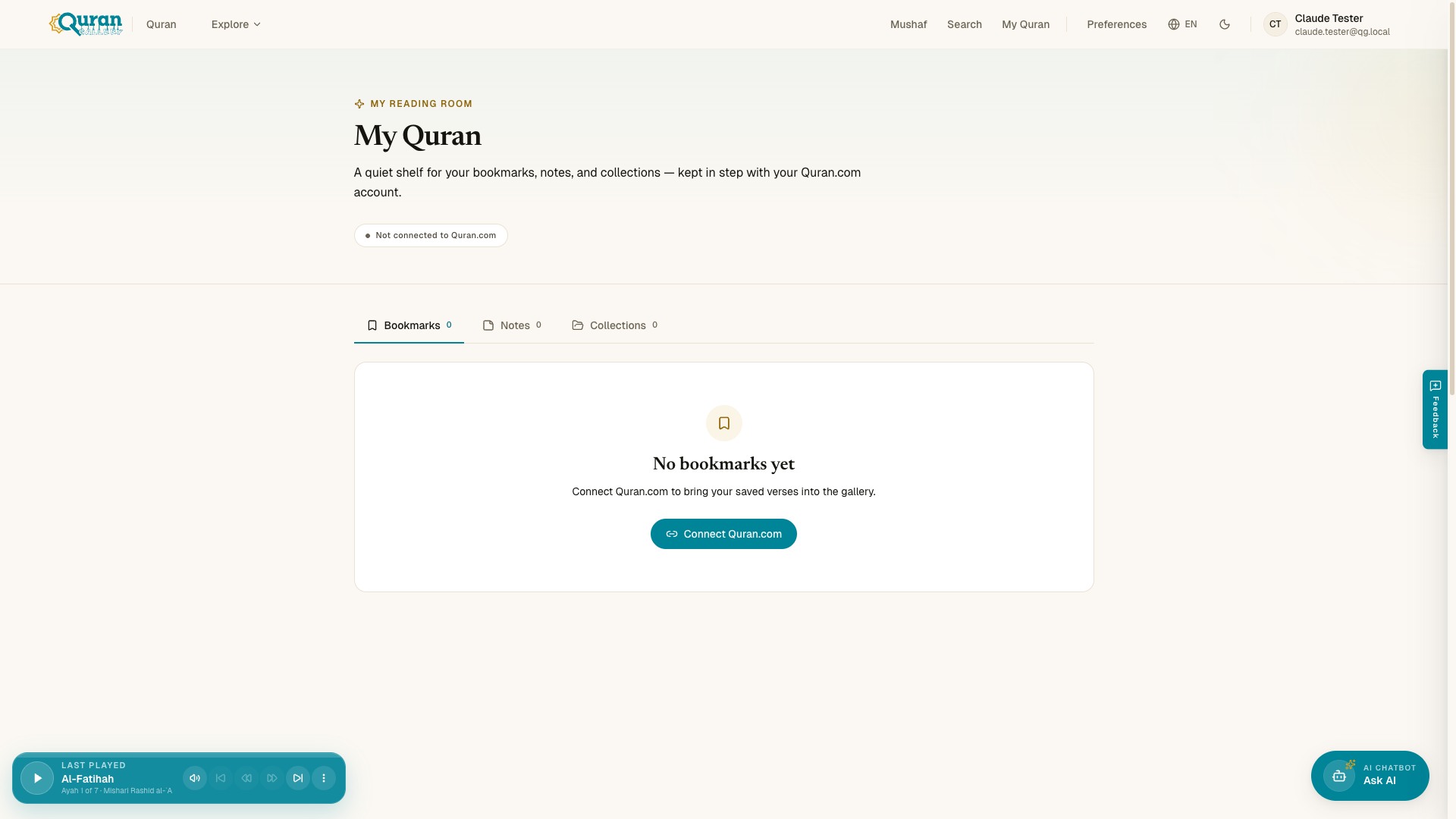
/my-quran — “your reading room” — gathers everything you’ve saved into three tabs: Bookmarks, Notes, and Collections, each with a running count. Tap a bookmark or note to jump back to that verse.
- Delete — each bookmark and note has a trash control to remove it in place.
- Empty states — a tab with nothing in it yet tells you so plainly (for example, “No bookmarks yet”) and points you to where saved items will appear.
This room stays in step with your Quran.com account, so verses, notes, and collections you’ve saved there show up here too:
| State | What you see |
|---|---|
| Synced | A Synced with Quran.com badge and all your saved items. |
| Not connected | A prompt to Connect Quran.com to bring your saved verses, notes, and collections in. |
| Reconnection required | A banner to Reconnect your Quran.com account when a previous link has expired. |
Collections are covered in Collections, plans & your journey — including how to open one inline on My Qur’an to see the verses inside.
Where they sync
Bookmarks and notes are tied to your account ID and shared across the suite. Sign in once at accounts.qurangallery.com and they’re available everywhere you read.