Finding the Qibla
Use compass mode or map mode at qurangallery.com/prayer/qibla to face the Kaaba, with bearing and distance to Mecca.
On this page
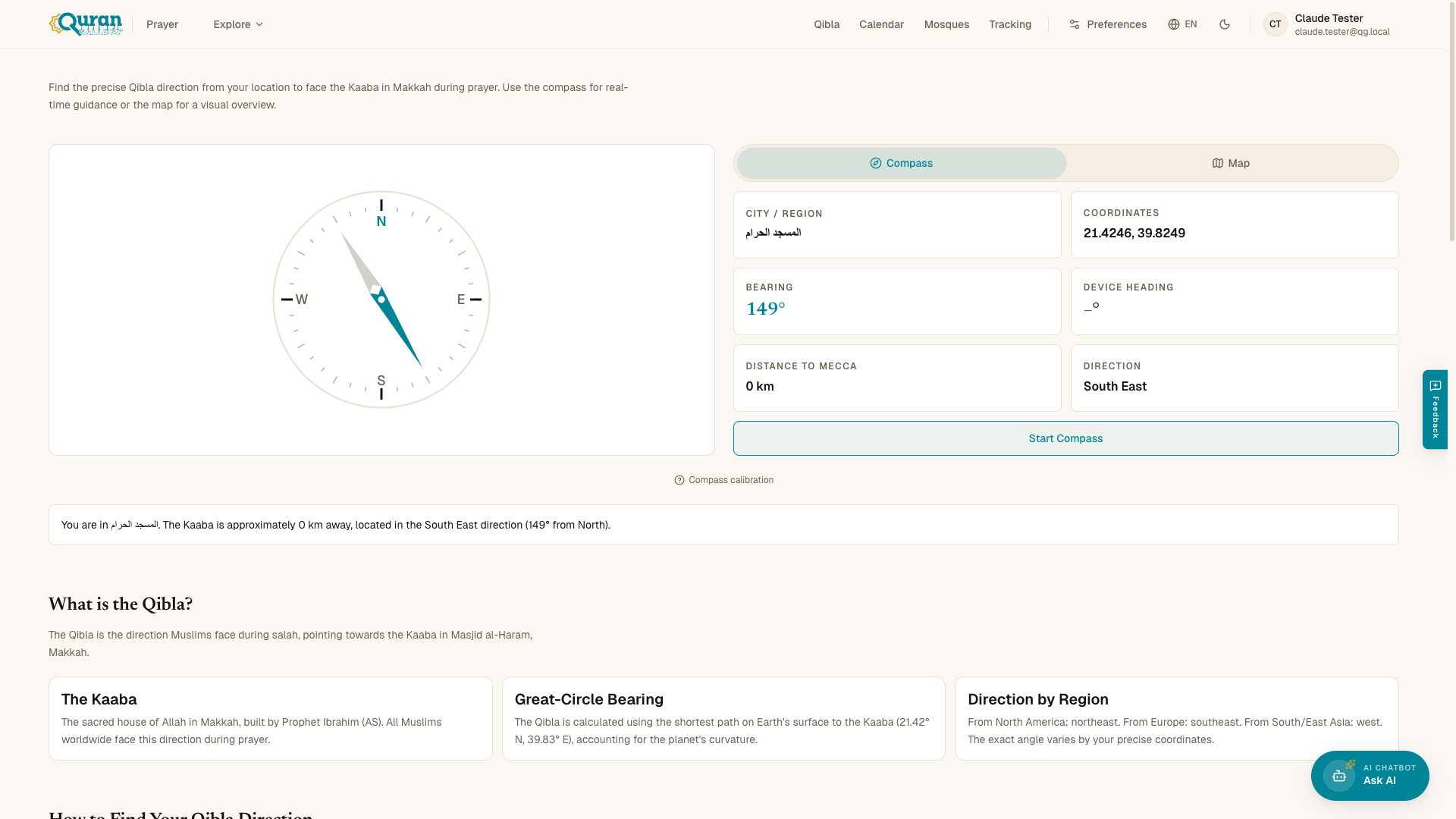
The Qibla finder at qurangallery.com/prayer/qibla shows the direction to face during prayer — towards the Kaaba in Makkah. It needs your location (GPS or a searched city) and then displays the Bearing and the Distance to Mecca.
Compass mode vs map mode
There are two ways to view the Qibla:
- Compass — uses your device’s magnetometer to point in real time. Tap Start Compass, then rotate your phone until the indicator aligns with the Qibla. If your device has no compass you’ll see “Compass not available. Using map view.”
- Map — draws a great-circle line from your location to Makkah for a visual overview. This works on any device.
Calibrating the compass
Magnetometers drift, so the compass may show “Calibration needed — figure-8 pattern.” To fix it:
Move your phone in a figure-8 pattern to calibrate the compass. Keep it flat and away from metal objects and magnets.
You can always cross-check against your local mosque’s Qibla marking.
Bearing and distance
The Qibla is computed as a great-circle bearing — the shortest path across Earth’s curved surface to the Kaaba (21.42° N, 39.83° E). The page reports:
- Bearing — the angle from North to the Kaaba (for example, northeast from North America, southeast from Europe, west from East Asia).
- Distance to Mecca — roughly how far the Kaaba is from your location.