Banned (suspended) accounts
What you see if your account is suspended, what it stops you from doing, and how to appeal.
On this page
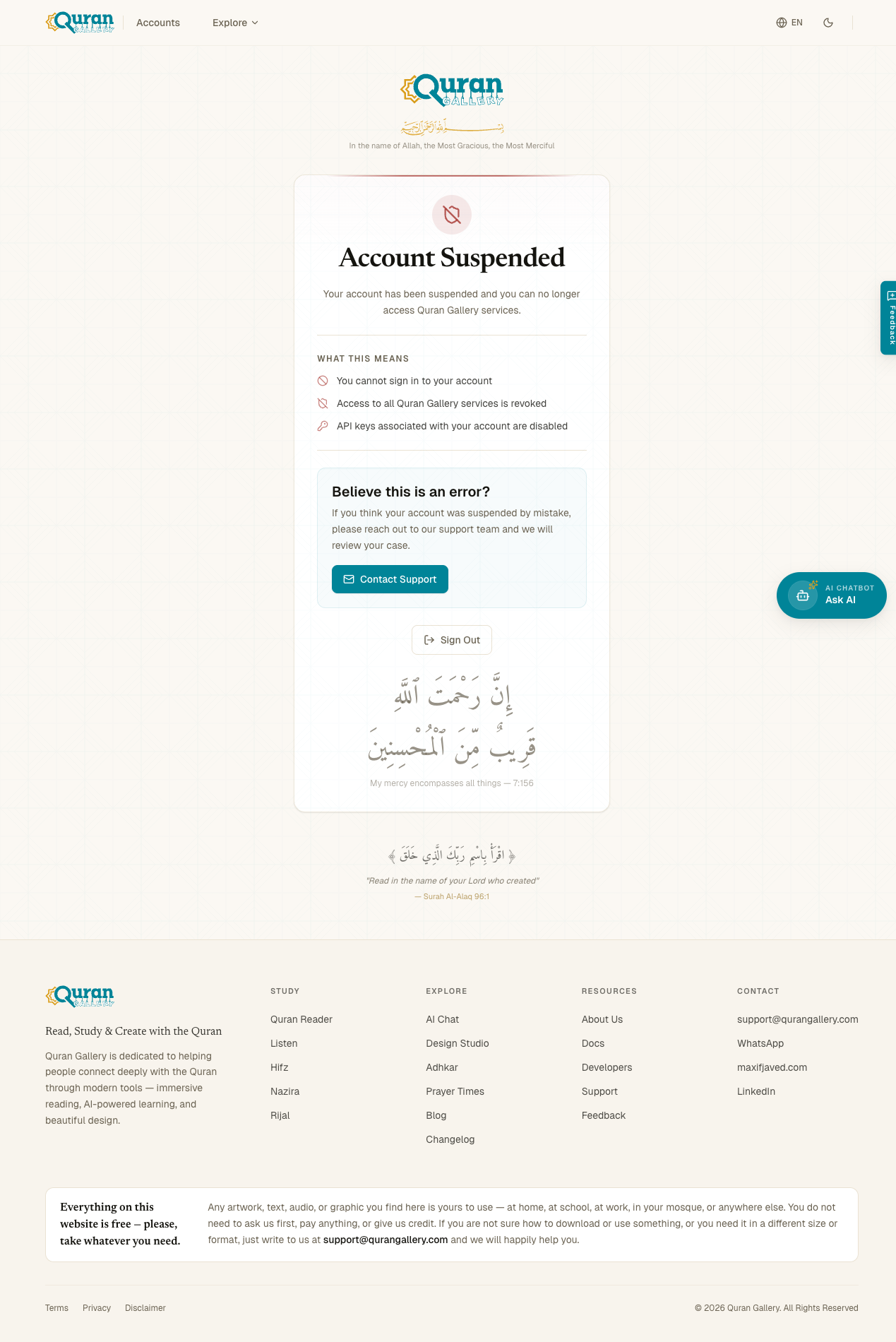
If your Quran Gallery account is suspended, the next request from any of your devices sends you to a dedicated page explaining the situation. This page is what users see — and how to ask for a review.
What suspension means
A suspended account is treated as if it doesn’t exist for the purposes of using Quran Gallery:
- You can’t sign in. Even with the correct password, sign-in returns an error.
- You can’t use any of the apps. Quran reader, madrasah, prayer times, AI chat, studio, listen, adhkar — all redirect you back to the banned page on each request.
- API keys are rejected. Any script using a key from a banned account gets
403 Account suspended. - All existing sessions are revoked immediately when the ban is applied. You don’t get to stay signed in just because you happened to have a session before the ban took effect.
Your data is not deleted — bookmarks, notes, hifz progress, account email, settings, and so on all remain in our database. If the ban is later lifted, you sign back in and everything is exactly where you left it.
What the page looks like
The banned page shows:
- A short heading — typically “Account suspended” or the equivalent in your language.
- A description of why you’re seeing it.
- A bulleted list of what’s restricted (sign-in, services, API).
- A Contact Support card with a direct email link.
- A Sign out button — clears any leftover cookies on your device.
- A small Quranic verse reminder at the bottom, in Arabic with translation context.
How to ask for a review
Click the Contact Support button on the banned page. It opens a pre-filled email to support, ready for you to add details:
- The email address on your account.
- The approximate date you first saw the banned page.
- Anything you’d like the team to take into account when reviewing.
Be patient — reviews are handled by a human and can take a few days. You’ll receive a reply at the email on your account.
Common reasons for suspension
Suspensions are deliberate, not automatic. Common reasons include:
- Spam or abusive content posted in features that allow user content (comments, shared posts).
- API abuse — large bursts of requests beyond normal use, attempts to brute-force endpoints, or use of leaked credentials.
- Account takeover suspicion — if our systems or our partners flag your account as compromised, it may be suspended pre-emptively to protect you. In this case, the appeal process is fast and usually ends with a password reset and re-instatement.
- Violation of terms — the published terms of service at qurangallery.com/terms detail what’s not allowed.
Can I just sign out and create a new account?
The banned page has a Sign out button to clear cookies, but creating a new account with the same email won’t work — that email is still on the suspended account.
Creating a brand-new account with a different email to evade a ban is itself a violation of the terms and will lead to that account being suspended as well. The right path is the appeal.
What if I’m seeing this page by mistake?
If you can’t think of any reason your account would be banned, file an appeal anyway. The team can check whether the ban was a system mistake (rare but possible — usually caused by an over-eager automated check on suspicious traffic) and lift it within a day.
If you can sign in fine on one device but see the banned page on another, you’re probably looking at a stale cached page — clear your browser’s cache for qurangallery.com and try again.
Privacy
Quran Gallery doesn’t publish a list of banned accounts and doesn’t share suspension status with third parties. The fact that you’ve been banned is visible only to you and to the support team handling your appeal.