Finding adhkar
Daily sets by time of day, browsing by category in Practice or Read mode, finding adhkar by how you feel, search, your Practice hub, and what's inside a single dhikr.
On this page
There are several ways to reach the dhikr you want: follow a guided Daily Practice set, browse by Category in your choice of reading mode, find adhkar by how you feel, or Search by keyword. Anything you want to return to, you can Save to your My Practice hub.
Daily sets by time of day
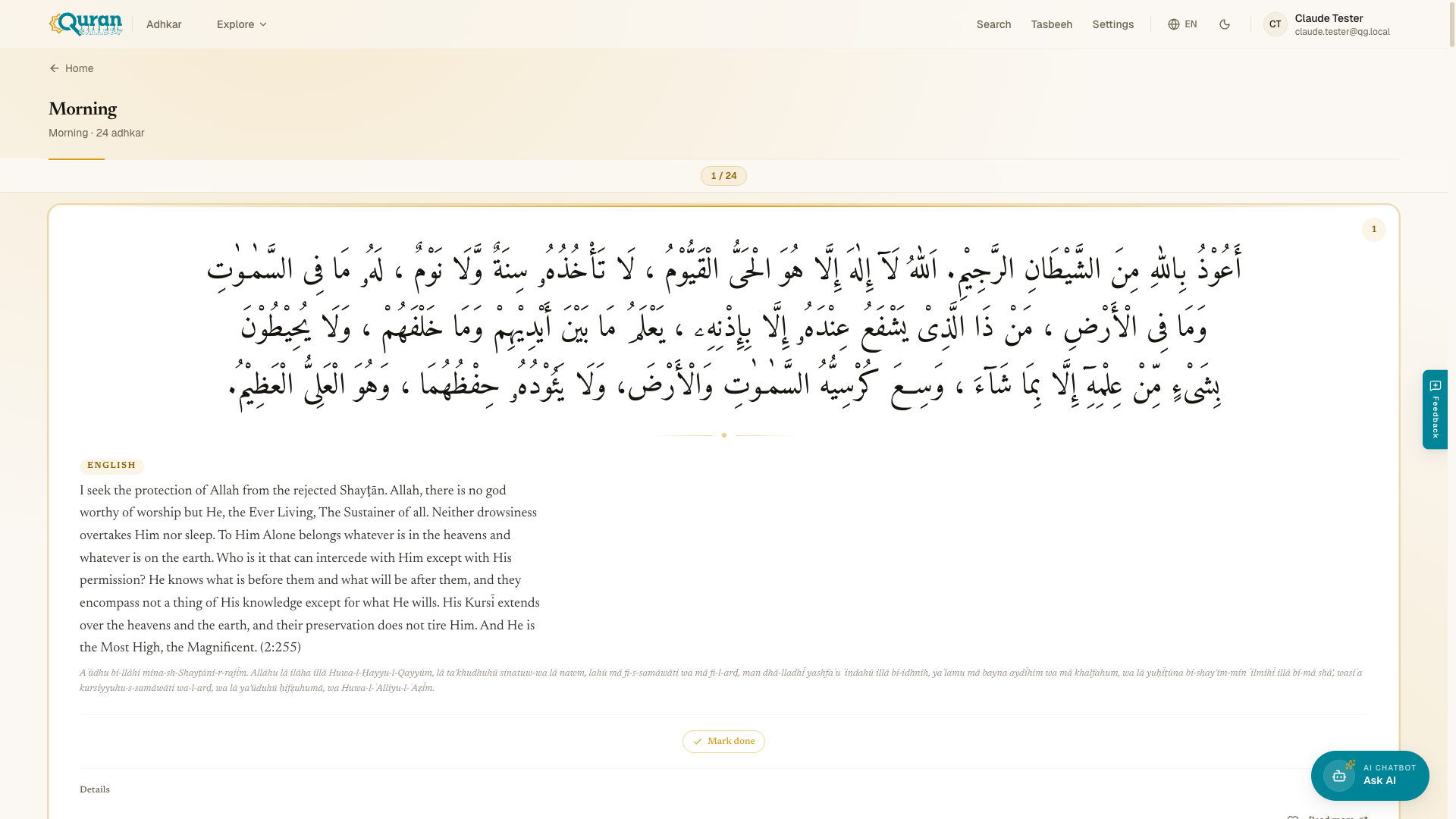
The fastest path is the Daily Practice section on the home page (qurangallery.com/adhkar). It offers four guided sets:
| Set | When |
|---|---|
| Morning | Morning Adhkar |
| Evening | Evening Adhkar |
| Sleep | Before Sleep |
| Travel | Adhkar for travelling |
Each set opens at /daily and walks you through its adhkar one at a time, tracking {current} of {total} as you go. The home page also surfaces Du’a of the Day at /daily-dua, with a Listen, Save, and Share action. Below today’s du’a, a Previous Du’as list lets you revisit the ones featured on earlier days.
Browse by category
Open Categories to see every collection, grouped into Main and Other. Each category lists how many adhkar it holds ({count} adhkar) and lives at /category/[id]. Use All Categories to step back to the full list.
Two ways to read a category
Every category opens in one of two modes, and you can switch between them any time with the pill at the top right. (Which one opens first is up to you — set your Default mode in Settings.)
- Practice — one dhikr at a time, like a deck of cards. Move forward as you finish each one. Best for actually doing your adhkar without distraction.
- Read — the whole collection as a scrolling list, with a sticky progress bar at the top that tracks
{current}/{total}as you scroll. A jump-to sheet lets you skip straight to any dhikr in the list.
A small progress strip shows how far through the category you are, in both modes. If a category comes with a background note, a collapsible About these adhkar panel explains where the set comes from and how to use it — tap to expand or collapse it.
When a dhikr is meant to be repeated, a Recite {count}× badge sits right under the Arabic, so you know how many times before you start. Read on for what else each card holds.
When you finish
Complete every dhikr in a category and a completion screen appears: Mā shā’ Allāh, the category name marked complete, and how many adhkar you got through. From there you can Practice again to reset and run it once more, or tap Done to head back home. If you’re signed in, finishing also counts toward your streak and Recently Completed list.
Prefer the keyboard? In Read mode the arrow keys step between adhkar, and on the tasbeeh counter Space or Enter count.
Find adhkar by how you feel
Under Find adhkar by how you feel, the app suggests collections matched to your state of heart:
- In Distress
- Seeking Peace
- Need Protection
- Need Strength
- Seeking Guidance
Pick one and you’ll land at /emotion/[id] with the adhkar gathered for that feeling.
Search
Open Search at /search and type into Search adhkar…. Results update as you type and show a {count} adhkar found total. If nothing matches, you’ll see No adhkar found for “your query”.
My Practice
The My Practice hub at /favorites is your home base for returning to adhkar — not just a plain saved list. It gathers four things:
- Starter Routines — three ready-made flows so you always have somewhere to begin: Morning (≈ 12 min), Evening (≈ 12 min), and After Salah (≈ 3 min). Tap one to start it in Practice mode.
- My Routines — space to build your own custom sequences from any category. This is marked Coming soon.
- Recently Completed — the categories you finished in the past 7 days, with how long ago, so you can pick up where you left off.
- Saved Adhkar — every dhikr you’ve saved with the heart. Tap the heart on any dhikr to keep it here; if you haven’t saved anything yet, this area gently invites you to.
My Practice is tied to your Quran Gallery account. Sign in so your saved adhkar, routines, and recent activity follow you across devices.
Inside a single dhikr
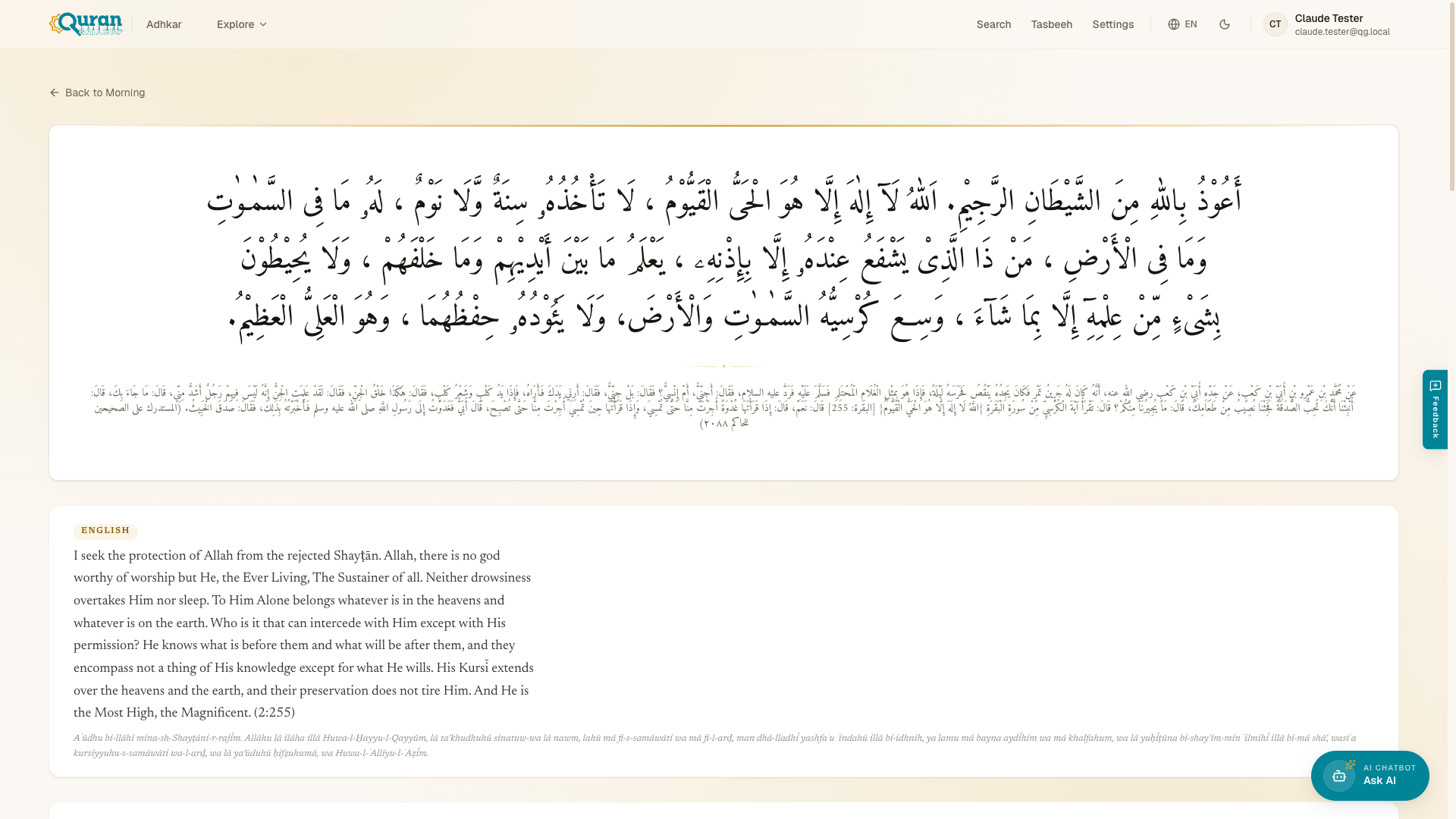
Open any dhikr (at /dhikr/[id]) and you get the full detail view:
- Arabic — the original text.
- Translation — in your chosen language(s).
- Transliteration — the Arabic in Latin script.
- Reference — the Quranic or hadith source.
- Virtue & Reward — what’s promised for saying it.
- Explanation — context and meaning.
- Audio — Play audio / Pause audio to listen to the recitation.
- Count this dhikr — open the tasbeeh counter so you can tally your repetitions of this dhikr.
- Share — send the dhikr to others.
- Notes / Details — the reference, virtue, and explanation, tucked into an expandable panel.
When a dhikr is meant to be repeated, the counter shows {current} of {target} and reads Completed when you reach the target.
Tap a word to understand it
Many translations carry a glossary: key Arabic terms appear underlined, and tapping one opens a panel with the word’s meaning and its root letters. It’s a quiet way to deepen your understanding without leaving the dhikr — handy when you’re still learning the vocabulary.