Finding your way around the Qur'an
Discover from the home page, browse by surah, juz, hizb, page, and other divisions, or jump anywhere with search and verse references.
On this page
There are two ways to reach any verse: browse a structured division of the Qur’an, or search for it directly. Both live at qurangallery.com/quran.
Browse by division
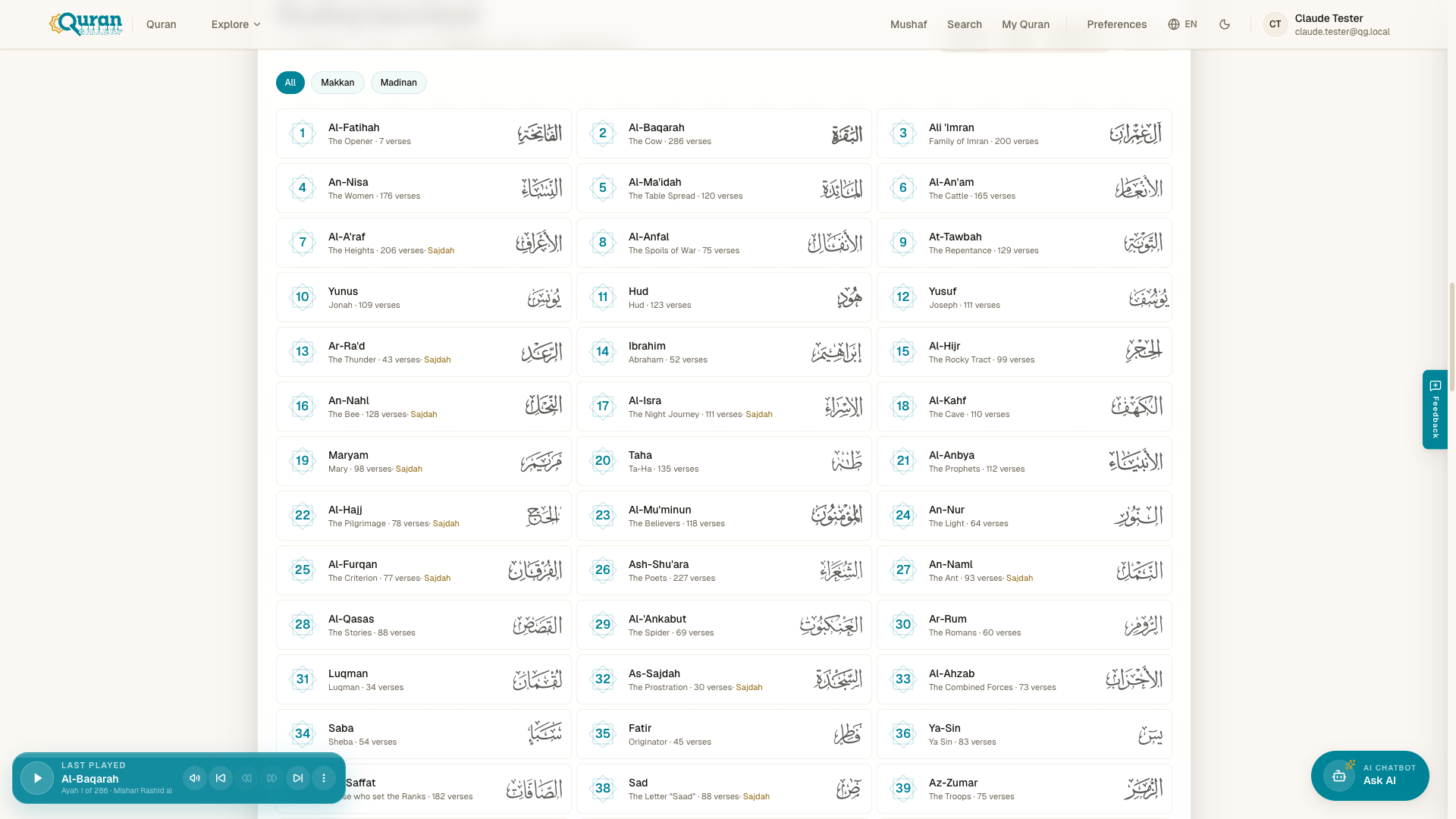
Browsing starts in the reading launchpad on the Quran home page: switch between the Surah, Juz, and Divisions tabs to pick where you want to read from. Every chapter has a readable URL like /quran/al-fatihah — numeric links redirect, so qurangallery.com/quran/2 lands on /quran/al-baqarah.
Beyond surahs, the Qur’an’s traditional structures each have their own pages, numbered from 1:
| Division | Starts at | What it is |
|---|---|---|
| Juz | /juz/1 | The 30 parts. |
| Hizb | /hizb/1 | 60 half-juz divisions for structured reading. |
| Rub | /rub/1 | Quarter-hizb sections. |
| Ruku | /ruku/1 | Thematic paragraph units. |
| Manzil | /manzil/1 | 7 weekly portions — complete the Qur’an in 7 days. |
| Page | /page/1 | The 604 traditional muṣḥaf pages. |
In the launchpad you can also filter surahs by revelation place — Makkan or Madinan — and sort 1 → 114 or 114 → 1.
Jump to special verses
Two pages collect verses people look for most:
- Sajdah —
/sajdahlists the verses of prostration. - Ayatul Kursi —
/ayatul-kursiopens the Throne Verse (2:255) directly.
Discover from the home page
The Quran home page is built to help you find your next reading, not just resume your last. Depending on whether you’re signed in, you’ll see:
- Verse of the Day — a fresh āyah to reflect on each day.
- Continue Reading and Continue Listening — pick straight back up where you left off, by text or by audio.
- Thematic Galleries — curated entry points by theme. Verses of Patience, Stories of the Prophets, Verses of Mercy, and Guidance for Daily Life each open a ready-made search so you can explore the theme across the whole Qur’an, while Ramadan Reflections opens the dedicated Ramadan page.
- Reading Paths — focused routes through the Qur’an (see Collections, plans & your journey).
- Your Quran Journey — once you’re signed in, an activity heatmap, reading streak, and stats that track your consistency over time.
Search the Qur’an
The search page at /search finds verses by keyword or phrase. Type a word or theme and it returns matching verses with their translations.
When a search has many matches, results are split into pages — you’ll see {n} results found (page X of Y) with Previous, numbered pages, and Next below them. Your query lives in the address as ?q=your+words, so any search is easy to bookmark or share — open /search?q=mercy and the results load straight away.
The command palette (⌘K)
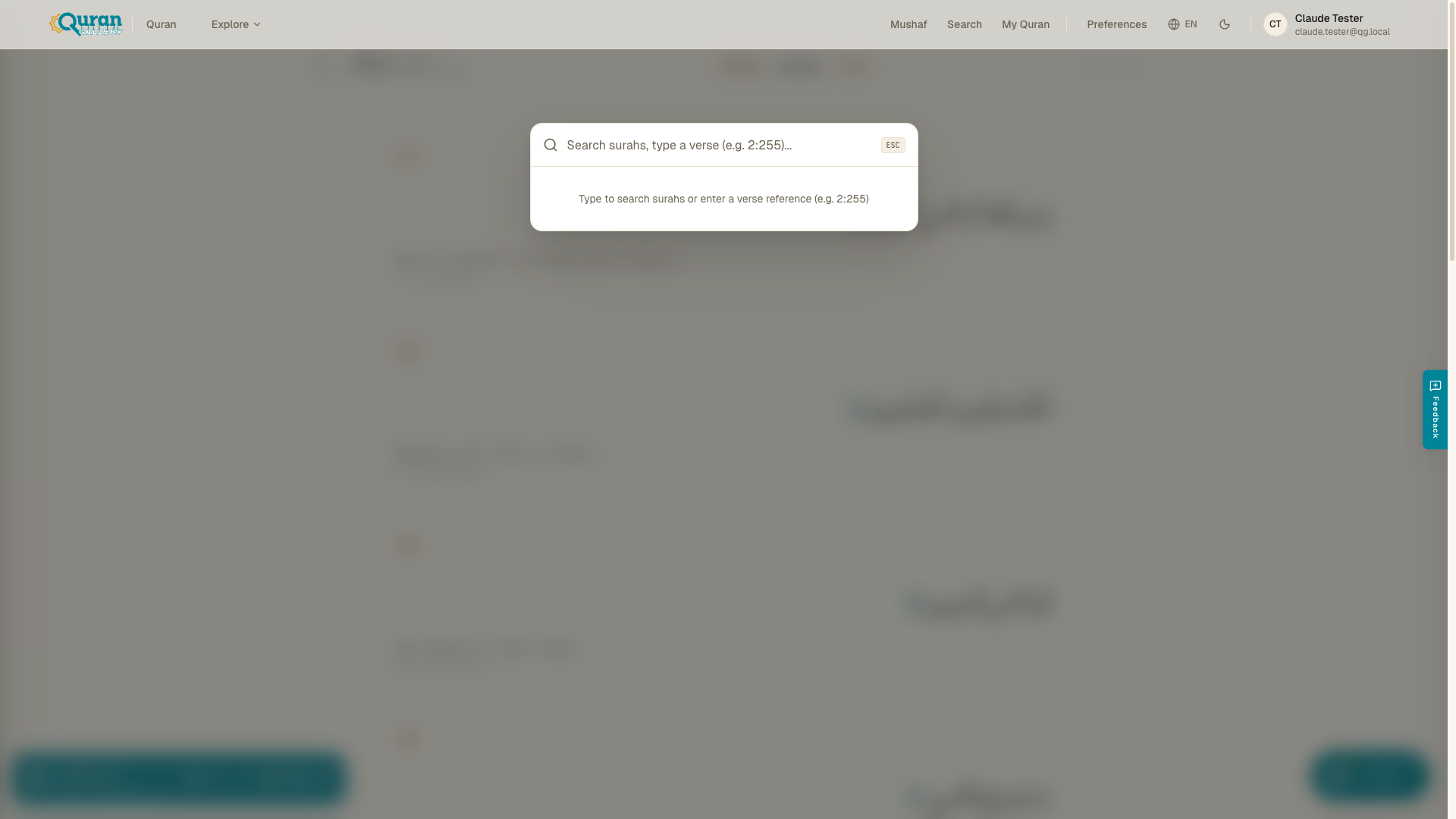
The fastest way to move around is the command palette. Press ⌘K (or Ctrl+K) from anywhere in the reader and you can:
- Type a verse reference like
2:255to go straight to a specific āyah — the palette offers Go to{surah}, Verse{verse}. - Type a keyword to search surahs and verses.
The placeholder spells it out: “Search surahs, type a verse (e.g. 2:255)…”. Verse references use the
surah:verseformat.
Move within a surah
While reading, the breadcrumb gives you precise jumps:
- Jump to verse — enter an āyah number (1–N for that surah).
- Jump to mushaf page — enter a page number (1–604).
Next / previous verse keys step through the text one āyah at a time.