Compare Quran reciters by voice and riwayah
Browse 230+ Quran reciters, hear a surah in different voices and readings, and open a reciter's page to play, shuffle, favorite or download.
On this page
Listen has more than 230 reciters. Each reciter has a page with all the surahs they recorded, and each recording has a page of its own. To compare voices, press the reciter’s name in the player: it plays the same surah in another voice. To compare readings, use the riwayah card on a reciter or recording page.
The reciters directory
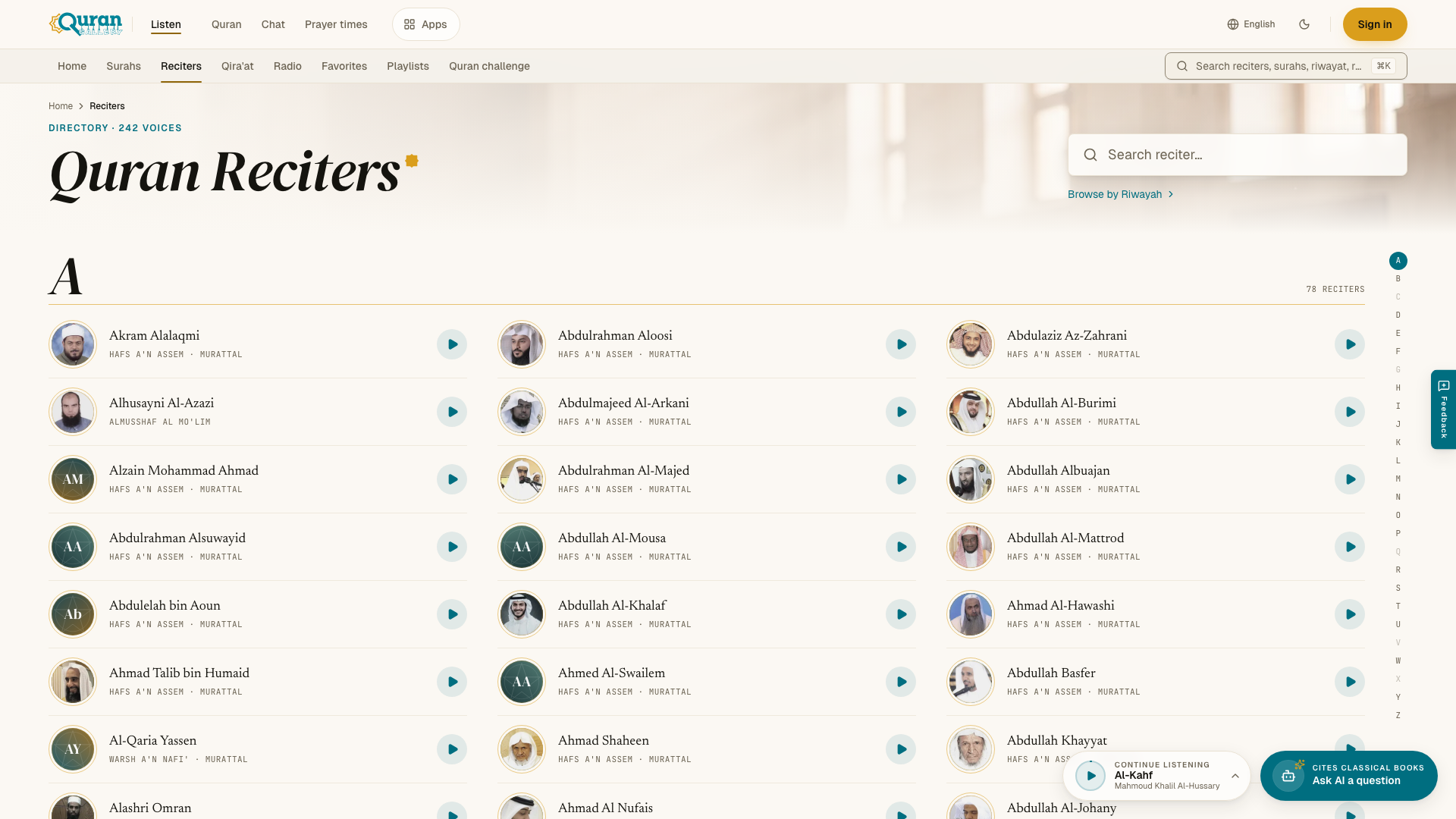
Open Reciters to see the directory, Quran Reciters.
- Search. Type in Search reciter…. You can type in English or in Arabic script. Search allows for different spellings of the same name, and the closest matches come first.
- Jump to letter. The A–Z index takes you to the reciters whose names start with that letter.
- Play. The play button on each row plays that reciter’s most complete recording.
- Browse by Riwayah. This link shows reciters grouped by reading. See The Ten Readings.
Press a reciter’s name to open their page.
A reciter’s page
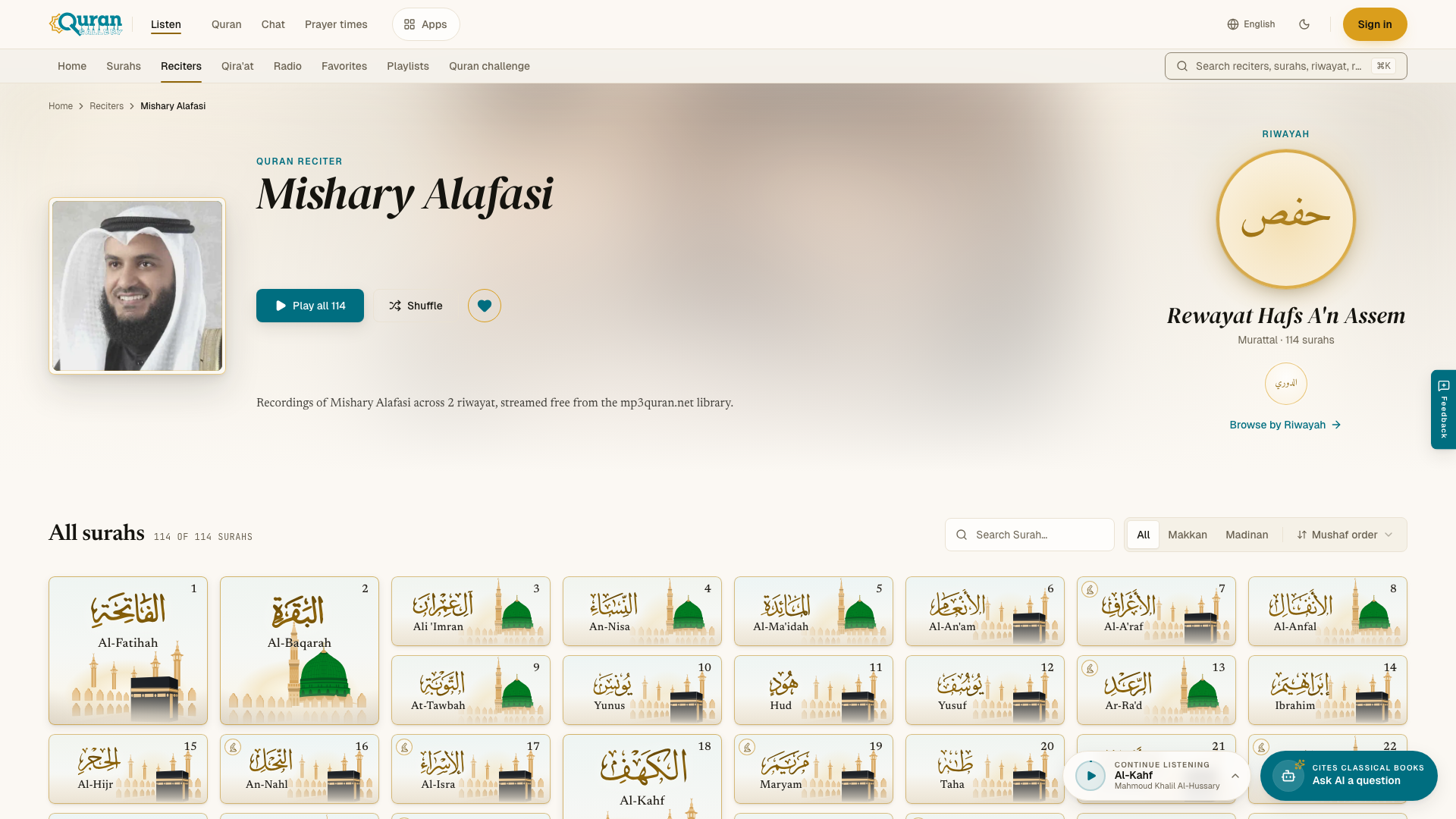
The reciter’s page shows their portrait, name and the reading they recite.
- Riwayah. Many reciters recorded more than one reading. The riwayah card shows which one you are hearing. Press it, or the + number, to choose another one in Choose a riwayah.
- Play all plays every surah in this recording, in order. Shuffle plays them in random order.
- The heart adds the reciter to your favorites.
- The surah list has its own search (Search Surah…), filters and sort. Press a surah to play it.
The ⋯ button on each surah (More actions) has:
| Action | What it does |
|---|---|
| Open page | Opens the page of this recording. |
| Play next | Plays this surah after the current one. |
| Add to queue | Adds it to the end of Up next. |
| Favorite | Saves it to your favorites. |
| Add to playlist | Adds it to one of your playlists, or a new one. |
| Share | Copies or shares a link to this recording. |
| Download | Saves the recording as an MP3 file. |
At the end of the page, Similar reciters suggests other voices you may like.
A recording’s page
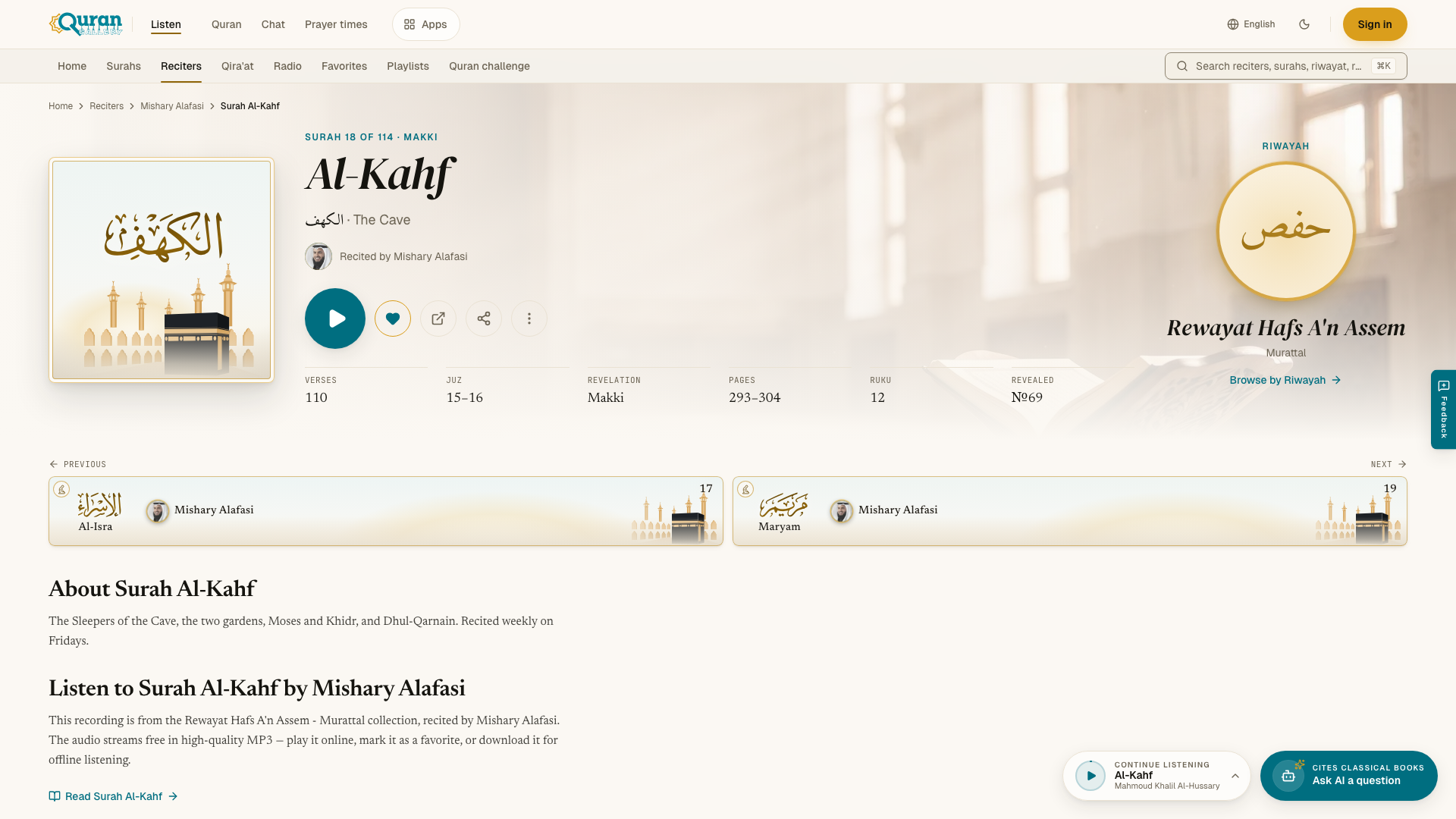
Each surah by each reciter has its own page, with its own link that you can share. It shows “Recited by” and the reciter’s name.
- The large play button plays the surah. Its ring shows how far you have listened. Press it again to pause, or Resume later.
- The heart saves this recording to your favorites.
- Open audio file (new tab) opens the MP3 file itself.
- Share shares the link.
- The ⋯ menu has Play next, Add to queue, Add to playlist, Favorite and Go to Surah.
The details list the surah’s verses, juz, place of revelation, pages, rukūʿ, its place in the order of revelation, and whether it has a prostration (sajdah). The riwayah card beside them names the reading. If the reciter recorded the surah in more than one reading, you can switch reading there.
Below that you find the previous and next surahs, Read Surah (opens the text in Quran Gallery Quran), and More from this reciter.
Next steps
Questions
How do I find a reciter?
Open Reciters and type in Search reciter…. You can type in English or in Arabic script, and different spellings of a name are allowed. The A–Z index jumps to a letter.
How do I compare two reciters on the same surah?
Play the surah, then press the reciter's name in the player and choose another voice. The same surah continues in the new voice, from the same ayah if the recording is timed verse by verse.
Can I hear a reciter in a different reading?
Many reciters recorded more than one reading. The riwayah card on their page shows which one you hear; press it, or the + number, to choose another in Choose a riwayah.
How do I play every surah by one reciter?
Open the reciter's page and press Play all, or Shuffle for a random order.
Can I download or share a recording?
Yes. The ⋯ menu on a surah has Download (an MP3 file) and Share. A recording's page also has Open audio file (new tab).