Languages and regions
The seven languages Quran Gallery is translated into, how to switch, and how right-to-left layout works for Arabic and Urdu.
On this page
Quran Gallery is built to be a first-class experience in seven languages, not an English-only site with everything else translated as an afterthought. The whole sign-in flow, settings page, error messages, email templates, and topbar work natively in each.
Supported languages
| Code | Language | Native name | Direction |
|---|---|---|---|
en | English | English | Left-to-right |
ar | Arabic | العربية | Right-to-left |
ur | Urdu | اردو | Right-to-left |
id | Indonesian (Bahasa) | Bahasa Indonesia | Left-to-right |
tr | Turkish | Türkçe | Left-to-right |
bn | Bengali | বাংলা | Left-to-right |
fr | French | Français | Left-to-right |
About 280 phrases are translated for each. Coverage is intentionally complete — there’s no fallback English string showing up inside a non-English page.
How to switch language
The fastest way: click the language code in the topbar of any Quran Gallery page (e.g. EN). A menu lists every supported language; pick one and the page reloads immediately in your choice.
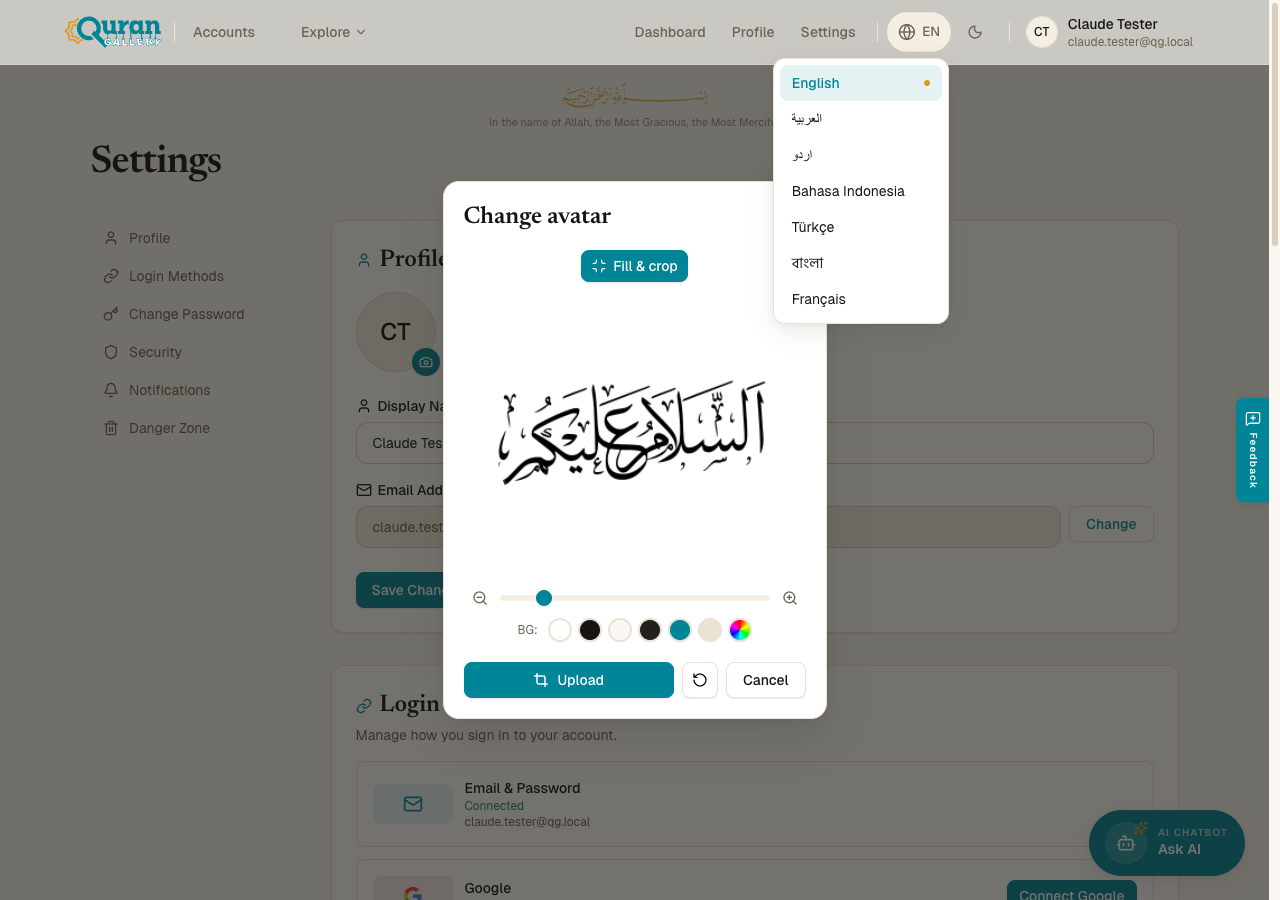
The slower-but-bookmarkable way: visit the URL prefix directly.
- English lives at the bare path —
accounts.qurangallery.com/settings. - Every other locale lives at its two-letter prefix —
accounts.qurangallery.com/ar/settings,/ur/settings,/id/settings,/tr/settings,/bn/settings,/fr/settings.
You can also visit just the prefix: accounts.qurangallery.com/ur opens the sign-in page in Urdu.
Where your choice is saved
Switching language updates two things at once:
- The page you’re on now reloads in the new language.
- Your account preference is updated so the next time you sign in on any device, Quran Gallery starts you in the same language.
If you switch languages on a public/incognito browser where there’s no session, only the current tab is affected.
Right-to-left for Arabic and Urdu
When you pick Arabic or Urdu, the entire interface flips direction:
- Text alignment switches to right-aligned.
- The topbar mirrors — logo on the right, profile menu on the left.
- Slide-in panels enter from the opposite side.
- Lists, breadcrumbs, and dialog buttons reorder so the primary action is still in the expected reading position.
Quran Gallery does this layout flip automatically based on the language. You don’t need to set anything else.
LTR languages with occasional RTL content (e.g., a verse quoted in Arabic inside an English page) keep LTR layout overall, but the Arabic snippet itself is rendered with proper RTL bidirectional handling.
Names and identities across scripts
The name field in your profile accepts every script Quran Gallery supports — see Create an account → What the name field accepts. A name written in Arabic, Urdu, Bengali, French, or any other script renders correctly in topbars and on shared content.
Quran Gallery uses Unicode NFC normalisation, so visually identical names written with different code-point sequences are treated as the same string.
Date and number formatting
Outside of explicit Hijri calendar features (in the prayer-times app), Quran Gallery shows dates using the Gregorian calendar in your browser’s locale. The settings page formats dates as e.g. May 26, 2026 in English and equivalents in other locales — done by your browser’s Intl engine, so it should match what other apps you use already show.
The prayer-times app and the Hijri calendar feature use Hijri dates with proper Arabic numerals for Arabic locale. See the Prayer & Calendar section for details.
What’s not yet localised
A few areas are still English-only and may stand out if your interface is in another language:
- Some help links and the marketing pages. The legal pages (terms, privacy, disclaimer) are in English.
- AI chat responses. The chat will respond in whatever language you write to it in, but the assistant’s standard greeting is English.
- Audit log action labels in the settings page (
login,password_change, etc.) — internal-looking strings that are currently shown as identifiers when audit-log display is enabled.
Translations are a living project. If you spot an untranslated string, missing nuance, or a typo, send feedback through the Feedback button in the topbar and tell us which language and which screen.
Falling back to English
If you ever want to override what’s saved on your account just for a single request, append ?locale=en to any URL — for example, accounts.qurangallery.com/settings?locale=en. This is mostly useful when you’re sharing a link with someone whose language you don’t know.