Finding a surah
Use the Listen home page, the list of all 114 surahs and search to find a surah, a reciter, a reading or a radio station and start playing.
On this page
There are three ways to find something to hear: the Home page, the Surahs page, and search. Whatever you choose plays in the player at the bottom of the screen.
The home page
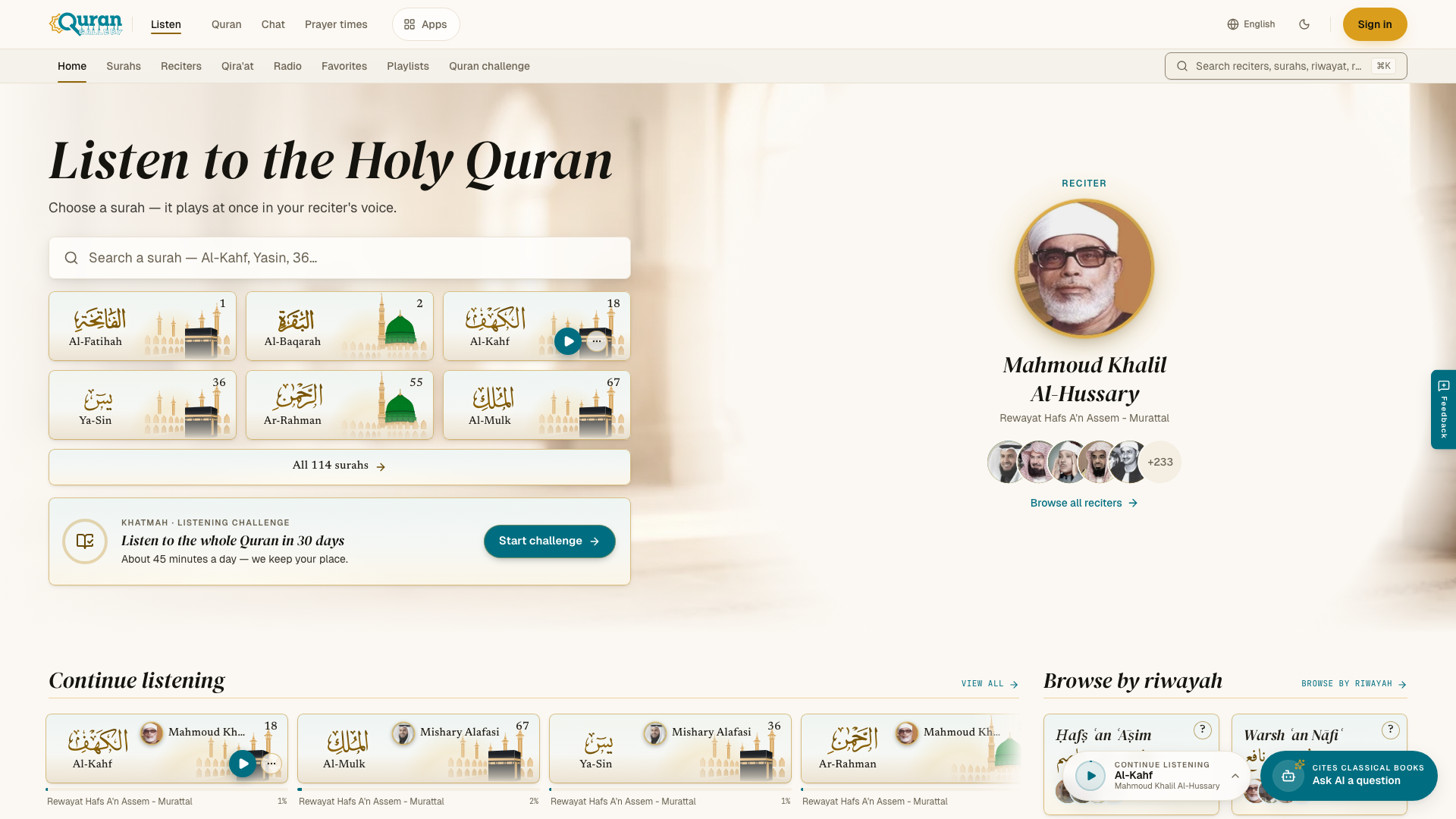
The home page starts with Listen to the Holy Quran and a surah finder. Type a surah name or number, for example “Al-Kahf”, “Yasin” or “36”, and pick the surah. It plays in your reciter straight away.
Below the finder, from top to bottom:
- Your reciter. The card shows the voice that plays your surahs. Press Change to pick another one, or Browse all reciters to see the whole directory. The small faces next to it switch voice in one tap.
- Popular surahs. Six surahs listeners open most often, and All 114 surahs for the full list.
- Quran challenge. An invitation to hear the whole Quran in 30 days. If you already have a challenge, this card shows today’s goal. See Quran challenge.
- Continue listening. The surahs you played last, so you can pick up where you stopped. First-time visitors see Start with a surah instead.
- Voices. Well-known reciters to explore.
- Browse by riwayah. The readings, each with the reciters who recite it. See The Ten Readings.
- For this moment. Short selections for Friday, morning, evening and other moments. See Collections.
- Live radio. A few live stations. See Live radio.
All 114 surahs
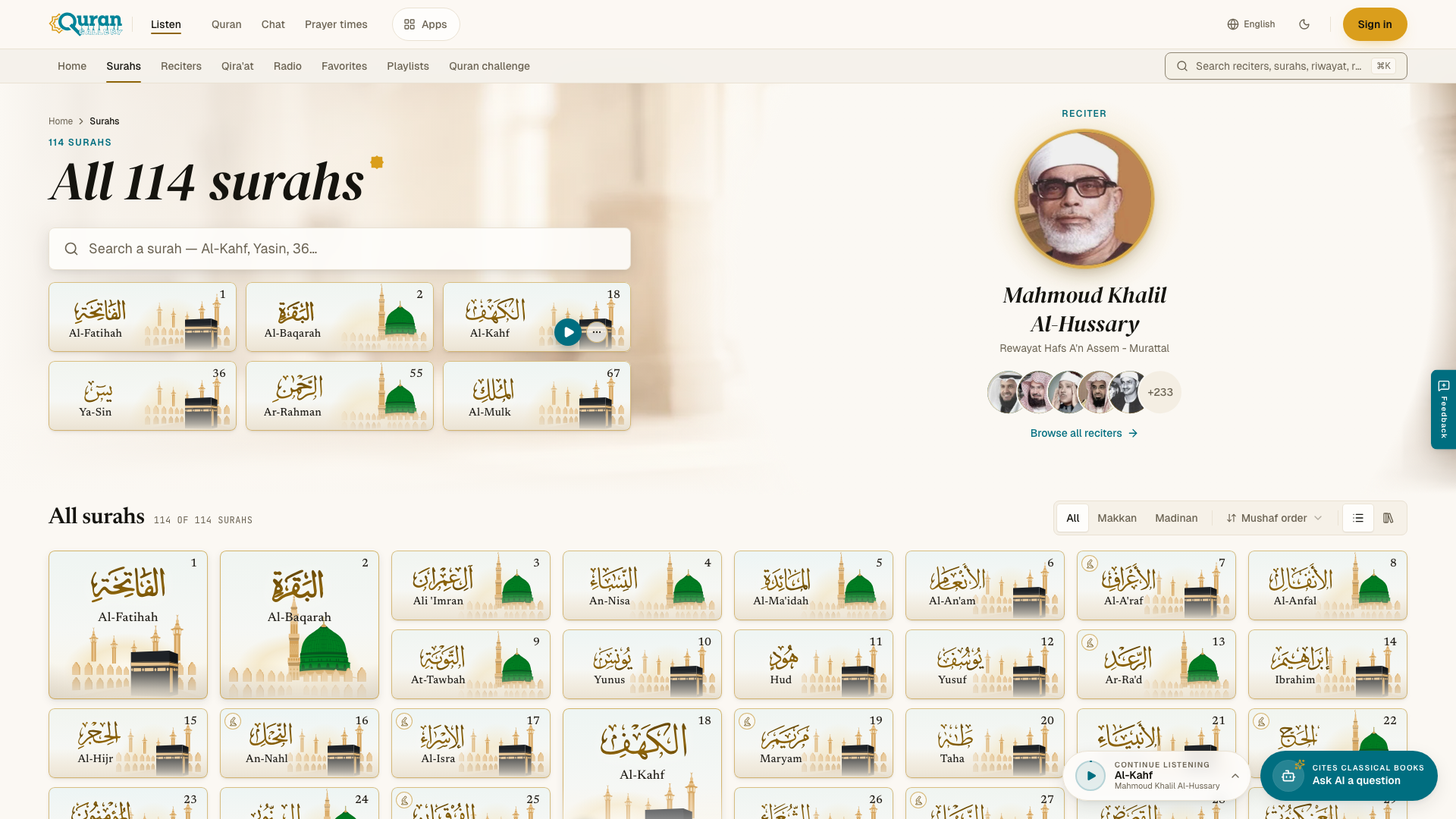
Open Surahs to see the whole Quran in one list. Press a surah to play it in your reciter.
| Control | What it does |
|---|---|
| All / Makkan / Madinan | Show every surah, or only those revealed in Makkah (86) or Madinah (28). |
| Sort | Mushaf order, Name, Fewest ayahs or Most ayahs. |
| View | List, or Shelf on larger screens. Shelf marks the surahs you have heard in your Quran challenge. |
The counter above the list shows how many surahs match, for example “28 of 114 Surahs”. At the end of the page you find the Quran Tafsir section, the way into Audio tafsir.
Search

Open search with the search box at the end of the tab row, or press ⌘ K (Ctrl K on Windows). On a phone, tap Search in the bottom tab bar.
Search looks through reciters, surahs, readings and radio stations at once. You can combine a reciter and a surah, for example “sudais kahf”, to get that exact recording. Results are grouped by type.
- Press Enter to play the highlighted result.
- Press ⌘ Enter (Ctrl Enter on Windows) to open its page instead.
- If nothing matches, search shows Nothing matched. Try a shorter word or another spelling.
Names can be typed in English or in Arabic script.