Add the Islamic library MCP server to Claude Code
One command adds the Quran Gallery MCP server to Claude Code: classical Arabic books, printed-page citations, no account and no key.
On this page
No account, no sign-in, no key. One command:
claude mcp add --transport http quran-gallery https://qurangallery.com/mcp/shamelaSteps
Run the command above in your terminal. It registers the server for you in the local scope; add
--scope userto make it available in every project, or--scope projectto share it through.mcp.json.Run
claude mcp list, or startclaudeand run/mcp.quran-galleryshould show as connected.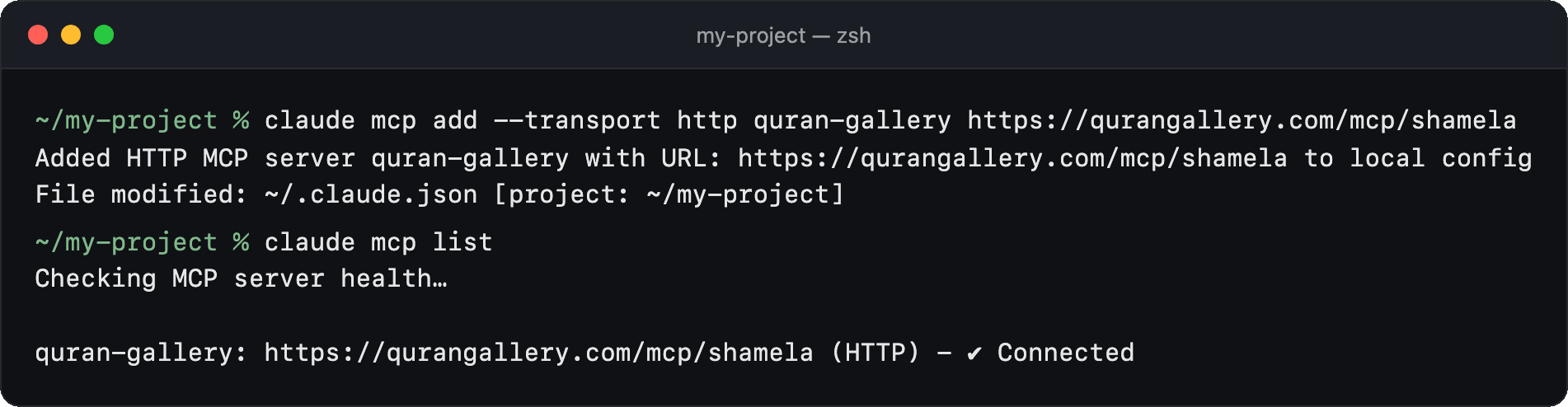
Ask a question that needs a text (below). Claude Code asks before it runs each tool the first time. Approve it.
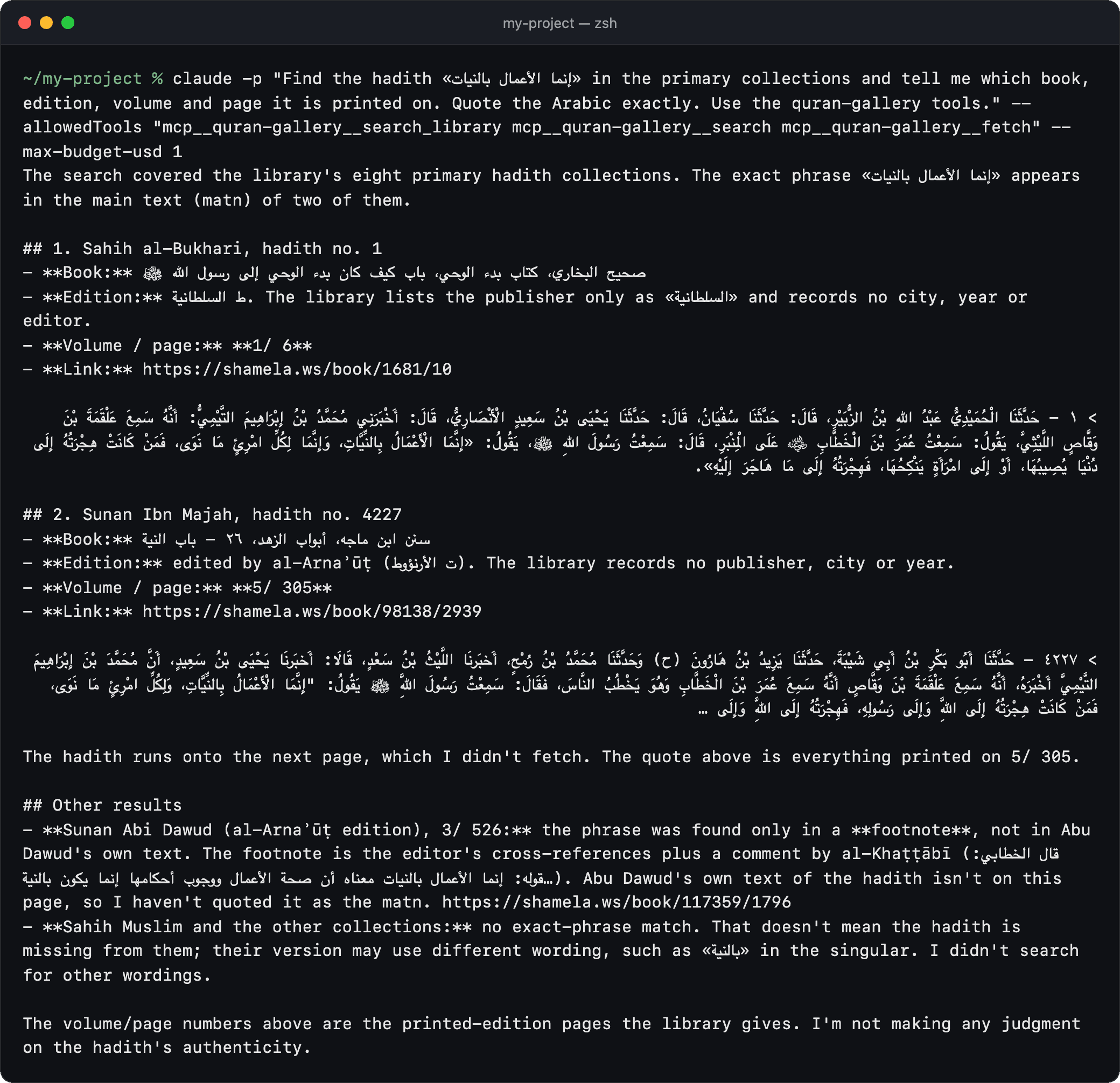
The answer gives each edition with its volume, printed page and Maktabah link, and quotes the Arabic:
To remove it: claude mcp remove quran-gallery.
First prompt to try
Find the hadith «إنما الأعمال بالنيات» in the primary collections and tell me which book, edition, volume and page it is printed on. Quote the Arabic exactly.
Your assistant should call shamela_search_library (or search then fetch). The hits include صحيح البخاري, ط السلطانية, page 1/6, with a link to that page in the Maktabah reader. If it answers from memory instead, say: “Use the Quran Gallery library tool and quote what it returns.”
Search queries must be in Arabic; your assistant translates English terms first (details). Ready-made prompts for takhrīj, citing a passage and comparing tafsir are listed in the full tool surface.
Troubleshooting
- 429, “Keyless limit reached”. Keyless use allows 10 tool calls a minute and 200 a day per IP address. Wait for the
Retry-Afterheader, or add a free key (below). See Limits and errors. - 503. The server or the library behind it is briefly unavailable. Retry after the
Retry-Afterheader; if the client lists zero tools, wait a minute and reconnect. - The tools do not appear, or a tool you expect is missing. Run
/mcpand reconnect the server, or restartclaude; the tool list is read when the server connects. - Connection fails immediately. The endpoint is
/mcp/shamela; the bare/mcpis a web page, not the server.
Optional: a free key for higher limits
A key is never required. A free key raises the limit to 60 calls a minute and lifts the keyless page-range caps. Create one on the Developers page of your Quran Gallery account (how keys work), then send it as a bearer token.
Add it with --header:
claude mcp add --transport http quran-gallery
  https://qurangallery.com/mcp/shamela
  --header "Authorization: Bearer qg_sk_your_key_here"
Treat the key like a password and keep it out of git.
Next steps
Questions
How do I add an MCP server to Claude Code?
Run claude mcp add --transport http quran-gallery https://qurangallery.com/mcp/shamela in your terminal. No account, sign-in or key is needed.
How do I check the Quran Gallery MCP server is connected in Claude Code?
Run claude mcp list, or start claude and run /mcp. quran-gallery should show as connected. If tools are missing, reconnect from /mcp or restart claude.
How do I make the server available in every project?
Add --scope user to the command. The default is the local scope, and --scope project shares the server with your team through .mcp.json.
How do I add an API key in Claude Code?
Add --header "Authorization: Bearer qg_sk_your_key_here" to the claude mcp add command. A key is optional and raises the limit to 60 calls a minute.
Why do I get a 429 Keyless limit reached error?
Keyless use allows 10 tool calls a minute and 200 a day per IP address. Wait for the Retry-After header or add a free key.
How do I remove the server from Claude Code?
Run claude mcp remove quran-gallery.