Save verses to collections and track your khatam progress
Free khatam planner in your browser, no account: plans, reading paths and khatam progress stay on your device. Collections and study circles need sign-in.
On this page
The reader becomes personal as you use it. My Quran keeps everything you’ve saved, plans and paths guide your reading over time, and your progress through the Qur’an is tracked quietly in the background.
Bookmarks, highlights, notes, your place, khatam progress and reading plans are kept on your device, so none of this needs an account. Collections and the activity heatmap with your daily goal need one. Signing in also syncs everything else across your devices, and a reading plan made signed out can be saved to your account from the Plans page. Sign in or create an account at
accounts.qurangallery.com— see Your Quran Gallery account.
My Quran
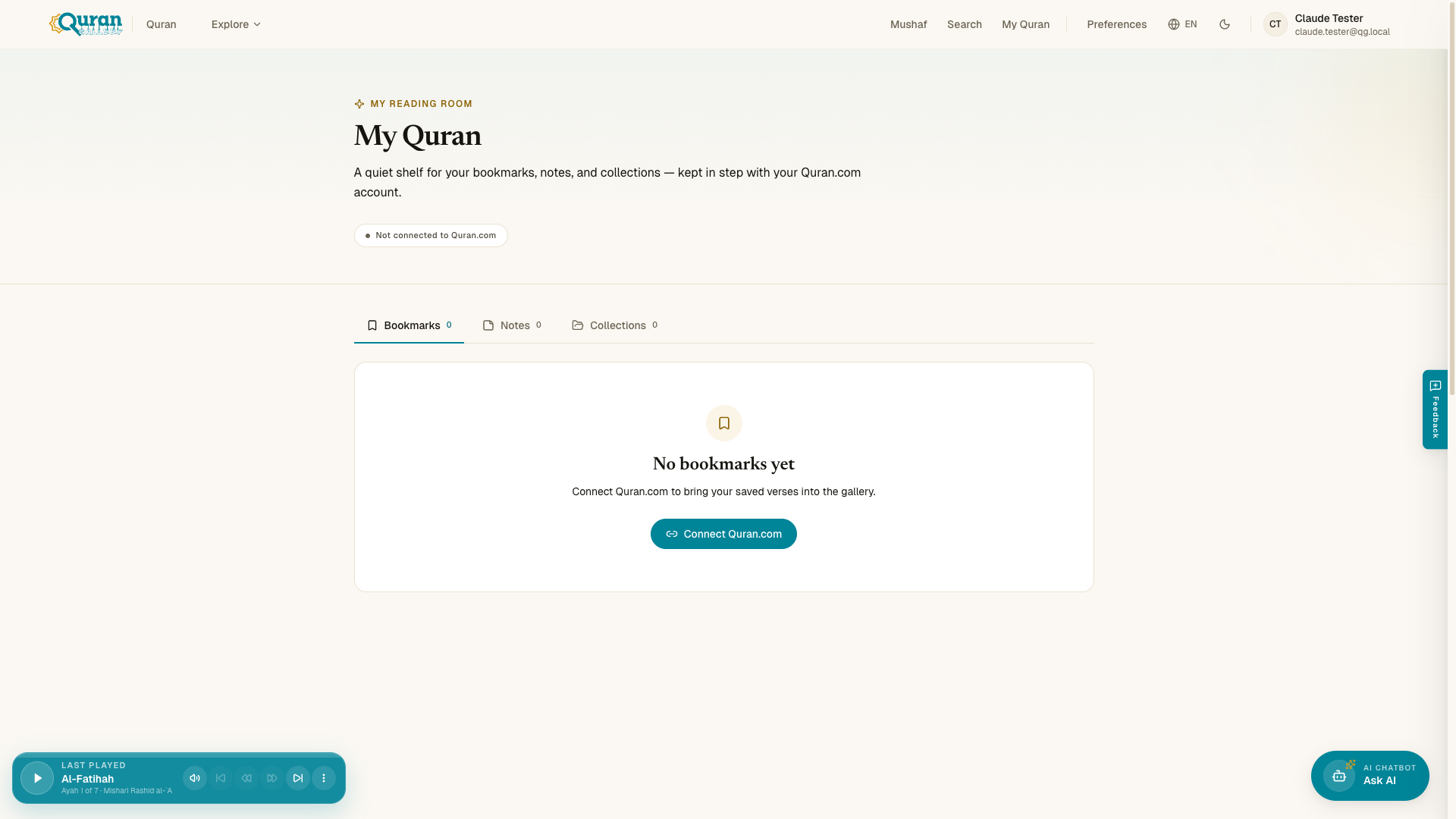
/quran/my-quran is your reading room. It holds four tabs — Bookmarks, Highlights, Notes, and Collections — and it works signed out. Above them are your reading stats, Where you left off, Recently read, and the Plan and streak settings (see Your reading journey below). For the bookmark and note tabs, the reconnect and empty states, and the delete controls, see Bookmarks and notes.
Collections
Collections group verses around a theme you care about — patience, mercy, du’ā, whatever you’re studying. They are kept in your account so you can share them, so the Collections tab asks you to sign in to start one.
- Create new collection — name it and start adding.
- Add to collection — from any verse, save it into one or more collections.
- Share public — make a collection public so others can view it.
On My Quran’s Collections tab, tap any collection to open it inline — its verses unfold right there, each linking to the verse in the reader, so you can browse a collection without leaving the page. Tap again to collapse it.
Reading & learning plans
Structured plans guide you through the Qur’an over time. Everything lives on one page, /quran/plans: the reading paths below, plus your reading plans, which schedule a portion to read each day toward a complete khatam. Plans work without an account: signed out, a plan is kept in your browser on that device. See Reading plans for the full walkthrough.
Reading Paths
Reading Paths open from /quran/plans, and each path has its own address, such as /quran/plans?path=essentials. They are curated journeys through the Qur’an, each with its own focus:
| Path | Focus |
|---|---|
| Essentials | Core verses that define the spirit of a believer. |
| Foundations | The legal and moral architecture of a life in balance. |
| Heart | Āyāt of comfort and healing for the restless soul. |
| Stories | Narratives of Prophets, trials, and Divine Mercy. |
The home page shows the four paths, with your progress on each when you’re signed in, and an Up next card with today’s passage if you have an active plan on your account.
Group khatam in a study circle
A study circle can read a khatam together. Sign in, then start a circle or join one with its six-character code. In the circle’s Group khatam section, any member can choose Start a group khatam. The 30 juz are then split among the members: tap Claim on a juz, read it, then tap Mark done. Release gives a juz back, and a juz someone else holds shows their name. The board shows how many of the 30 are done, and a circle runs one khatam at a time.
Your reading journey
There is no separate dashboard to visit. The home page shows a Continue card that returns you to the verse where you stopped, plus a line with how much of the whole Qur’an you’ve read (Khatam progress) and, if you’ve turned it on, your streak. My Quran shows the same numbers as a stats row (verses read, khatam percentage, streak).
- Khatam progress — the share of the Qur’an you’ve read, kept on your device and synced when you sign in.
- Reading streak — opt-in and off until you turn it on under Plan and streak on My Quran. One verse a day counts, with two grace days each week, and you can hide it from the home page.
- Activity heatmap and Daily Reading Goal — when you’re signed in, Your Journey at the bottom of My Quran adds a calendar grid that fills in as you read and a goal you can set to build a habit.
Next steps
Questions
How do I save verses into a collection?
Under More on any verse, choose Add to collection, or create one from the Collections tab on My Quran. Collections need you to be signed in.
Do I need an account to save verses and keep my place?
Not for bookmarks, highlights, notes, your place, khatam progress or reading plans; they stay on your device. Collections and the activity heatmap with a daily goal need an account.
How do I track my khatam progress and streak?
The home page and My Quran show how much of the Qur'an you have read. The reading streak is off until you turn it on under Plan and streak on My Quran.
Can a group read a khatam together?
Yes. In a study circle, any member can start a group khatam. The 30 juz are split among the members: each person taps Claim on a juz, reads it and taps Mark done.